
Manage Your Google Business Profile in 7 Steps

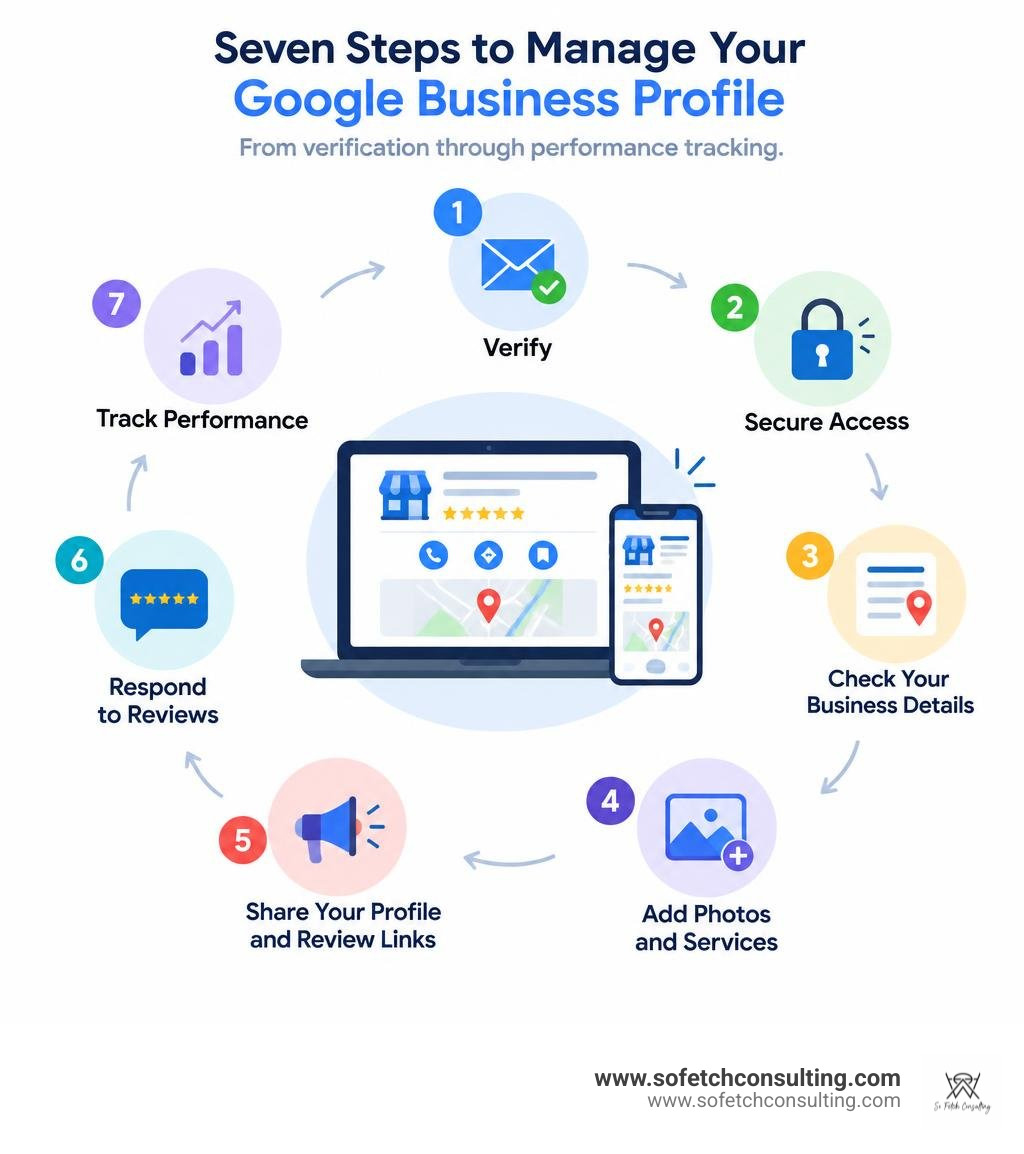
A Google Business Profile is a free listing you can manage on Google Search and Maps. It helps nearby customers find your hours, services, photos, and reviews. To make yours useful, claim and verify it, then follow seven steps: secure access, check your business details, add photos and services, post updates, share your profile and review links, respond to reviews, and track what customers do. No magic ranking button, just a listing that stays accurate and helpful.
I’m Karin Wright, founder of So Fetch Consulting. I’ve run dog-service businesses and now help local owners use tools like Google Business Profile to build a stronger online presence.
What Is a Google Business Profile and Why It Matters for Local Search
Google dominates the search landscape with roughly 5.4 billion searches per day and around 92 percent of the global search market share. When people nearby search for local services, Google serves up the local 3-pack: the top three map listings displayed right above organic search results.
Nearly nine out of ten consumers (88 percent) who search for a local business on their smartphone call or visit a related storefront within 24 hours. If your listing is missing or inaccurate, you are handing those high-intent local clients directly to your competitors. Claiming and optimizing your profile bridges the gap between casual discovery and paying customers.
| Profile Element | Unclaimed / Neglected Profile | Fully Claimed & Optimized Profile |
|---|---|---|
| Search Placement | Suppressed below local competitors | High potential for Local 3-Pack placement |
| Trust Factor | Low credibility, missing crucial details | High trust backed by authentic reviews |
| Direct Contact Actions | Outdated phone number or broken links | Click-to-call, instant booking, and directions |
| Lead Volume | Low conversion and lost search traffic | High conversion rates from mobile searches |
Working with a seasoned SEO agency for small business ensures that your local presence captures these ready-to-buy searchers without letting your listing fall behind algorithm updates.
Profile Eligibility and Storefront Guidelines
Google maintains strict guidelines regarding who can open a profile. To qualify, your business must make in-person contact with customers during its stated operating hours.
Eligible models include:
- Physical storefronts: Brick-and-mortar shops, grooming salons, veterinary practices, and training facilities where customers visit in person.
- Service-area businesses: Mobile groomers, plumbers, and in-home dog trainers who travel directly to their clients.
Online-only e-commerce brands, digital agencies with no local footprint, and vacant rental properties do not qualify for a public map pin. For comprehensive setup guidelines, consult this academic guide on profile setup. Service-area businesses can hide their home address to protect their privacy while listing up to 20 relevant service regions.
Resolving Listing Ownership and Claim Conflicts
Occasionally, you might find that an ex-employee, previous agency, or complete stranger has already claimed your business listing. If you run into an ownership conflict:
- Navigate to business.google.com and enter your business name and address.
- When prompted that another user manages the profile, click Request Access.
- Fill out the access request form, specifying your relationship to the company and the level of permission you need.
- The current listing owner has a 3-day window to respond.
If the owner approves, you gain access immediately. If they ignore your request within three days, Google often gives you the option to verify ownership directly. If they deny your request, you can appeal through Google Support by providing official proof of business registration, utility bills, or tax documents. You can review the complete ownership dispute resolution guide for edge cases and specialized ownership recovery workflows.
7 Actionable Steps to Master Your Profile Management
Managing your presence is an ongoing process of listing hygiene and engagement. Pairing active profile management with dedicated SEO services for small business helps you maintain top rankings across local search algorithms.
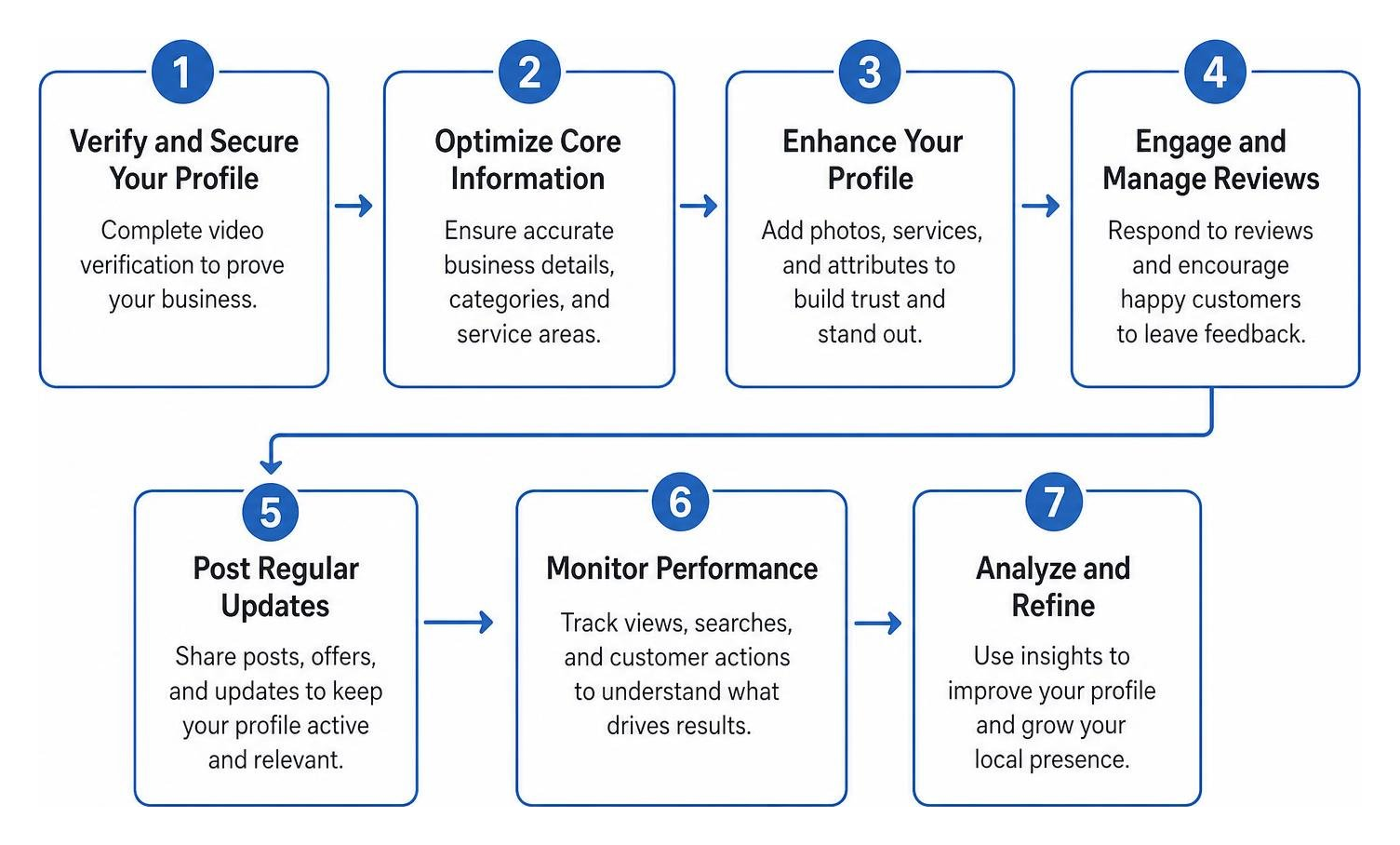
Step 1: Verify and Secure Your Google Business Profile
You cannot rank consistently or respond to reviews without verification. Google offers several verification paths depending on your industry and risk profile:
- Video Verification: This is the primary verification method for most service-based and local businesses. You will record a continuous video showing your street signs, branded vehicle, equipment, workspace, and tools to prove your business exists where you say it does.
- Phone or SMS Authentication: Available for select established businesses.
- Email Verification: Sent strictly to a domain-branded email address matching your website.
- Postcard Verification: A verification code mailed to your physical address within 5 to 7 business days.

Always use a dedicated company email rather than a personal Gmail account to ensure smooth administrative control across your team.
Step 2: Standardize NAP Data and Business Categories
Consistency is vital for local SEO. Your NAP data (Name, Address, Phone number) must match your website and external directories character for character.
- Primary Category: This is the single strongest ranking signal in your control. Choose the category that describes your core service (for example, "Dog Trainer" instead of a generic "Pet Service").
- Secondary Categories: Add relevant secondary categories (like "Pet Groomer" or "Dog Day Care Center") to expand keyword relevance.
- Business Description: Write a 750-character summary explaining what you do, who you serve, and why you excel. Naturally integrate local search terms without stuffing keywords.
- Business Hours: Keep standard hours current, and update special holiday hours in advance to keep clients informed.
Step 3: Showcase High-Resolution Photos and Service Menus
Profiles with high-quality visual content receive significantly more direction requests and phone calls than bare listings. Upload real imagery rather than generic stock photos:
- Exterior Shots: Show your storefront, parking options, and entrance so clients can easily find you.
- Interior Views: Highlight a clean, welcoming facility or training space.
- Team and Services in Action: Feature staff interacting with clients and pets to build immediate credibility.
- Products and Menus: Clearly list your individual services, packages, and pricing details.
Regularly updating your media library signals to Google that your company is open and active.
Step 4: Publish Strategic Updates and Seasonal Offers
Treat your profile like an active community bulletin board. Publishing regular updates through Google Business Profile posts allows you to announce new services, share seasonal promotions, and advertise local events.
Include an eye-catching photo, a concise value proposition, and a clear call-to-action button such as "Book Online," "Call Now," or "Learn More."
Step 5: Share Your Google Business Profile URL and Review Links
Do not make customers search through Maps just to leave you feedback. Share a direct review link instead:
- Open your verified business dashboard on Google Search or Maps.
- Select Ask for reviews (or click Read Reviews > Get more reviews).
- Copy the short URL generated by Google.
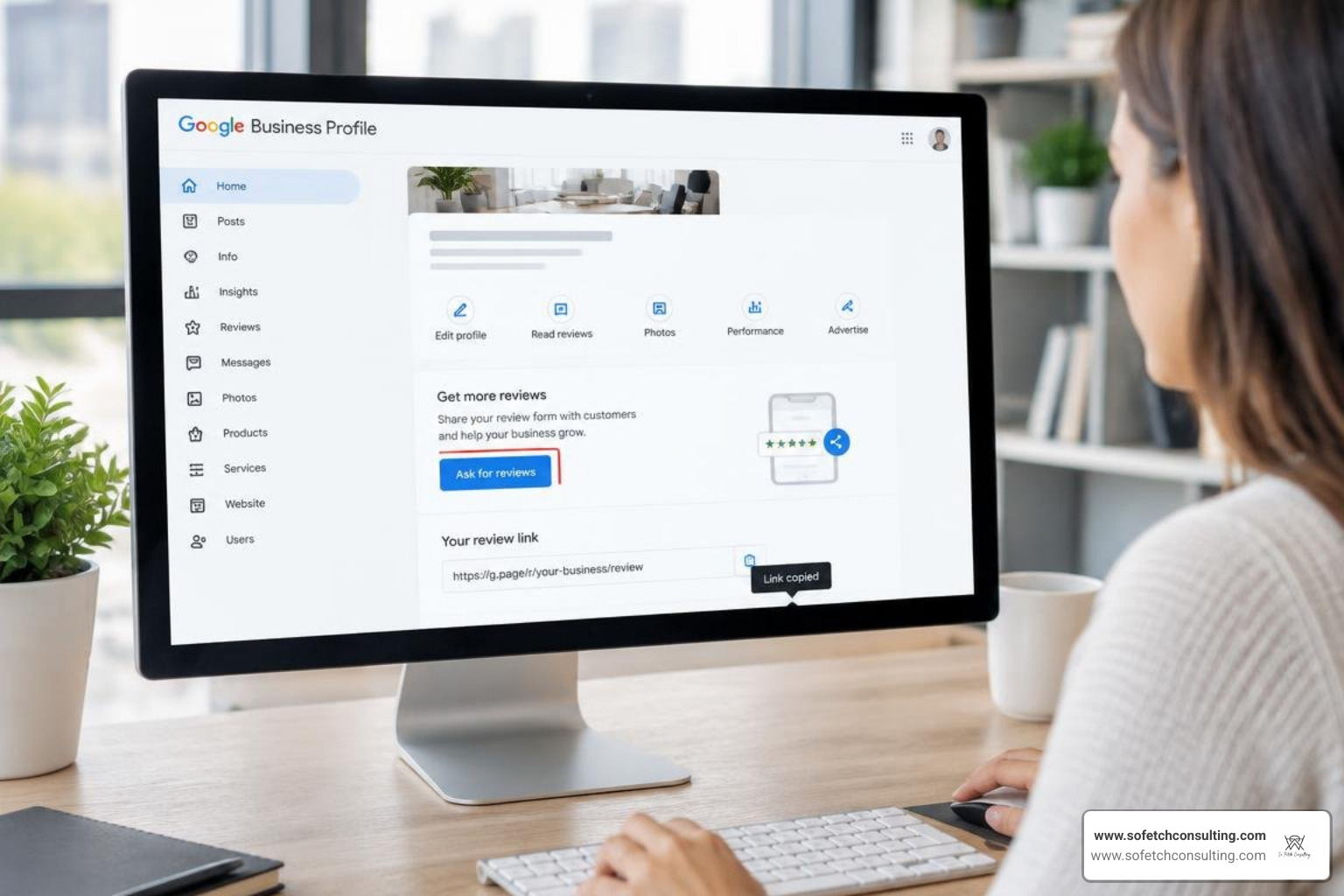
You can turn this short link into a QR code to print on appointment cards, client receipts, or storefront counter displays. Never offer discounts or gifts in exchange for reviews, as incentivized reviews violate Google policies and risk listing suspension.
Step 6: Manage Customer Reviews and Direct Messaging
Online feedback provides social proof and influences local search positioning. Establish a steady routine for review management:
- Acknowledge Every Review: Thank positive reviewers and highlight specific details they mentioned.
- Handle Negative Reviews Calmly: Acknowledge frustrations politely, apologize where appropriate, and move the conversation offline by providing a direct email or phone number.
- Turn on Direct Messaging: Enable the chat feature inside your dashboard so prospective clients can send direct inquiries or request estimates. Ensure you respond quickly to maintain strong conversion rates.
Step 7: Analyze Dashboard Insights and Search Performance
Your profile dashboard contains detailed performance analytics that explain how clients find your listing.
- Search Queries: Discover the exact search queries searchers typed before viewing your profile.
- Discovery vs. Branded Searches: Track how many users found you by searching for your company name versus generic category terms (like "puppy classes near me").
- Customer Actions: Monitor total phone calls, website clicks, and direction requests generated directly by your profile.
Tracking these metrics gives you clear visibility into your overall lead generation pipeline.
Advanced Tactics to Turn Profile Traffic into Inbound Leads
Once your foundational details are in place, implement these advanced strategies to maximize customer acquisition:
- Incorporate Native Booking Buttons: Connect third-party scheduling software through Reserve with Google to let clients book appointments right from your profile without visiting an external website.
- Complete All Attribute Tags: Select all applicable profile badges, such as "Women-Owned," "Veteran-Owned," "Wheelchair Accessible Entrance," or "Curbside Pickup."
- Seed the Q&A Section: Preemptively answer common client questions in the public Q&A area to clear up pricing, policies, or boarding requirements before clients even call.
- Integrate Local Tracking Links: Add custom UTM campaign tags to your primary website URL within your profile so you can measure exact conversion values inside Google Analytics.
If you are ready to combine paid search campaigns with an optimized organic map listing, you can contact for SEO and paid ads support to accelerate your local growth.
Frequently Asked Questions About Local Business Listings
How long does it take to verify a business listing?
Video reviews and manual verification requests generally take between three and seven business days. If your profile remains pending after a week, submit a support ticket with your business license and storefront photos to speed up review.
Can service-area businesses hide their home address?
Yes. If you operate out of a residential home or travel directly to clients, choose the service-area business option during initial setup. This hides your street address from the public map while letting you designate specific cities, postal codes, or regional zones where you provide services.
How do I handle fake or unfair negative reviews?
If a review violates Google policy (such as spam, hate speech, explicit content, or a review left for the wrong company), click the three dots next to the comment and select Report review. If the review does not violate clear policies, write a professional, public response clarifying your records and inviting the reviewer to speak with you directly.
Elevate Your Local Presence with Strategic Profile Management
A well-maintained Google Business Profile gives local businesses a dependable channel for visibility, trust, and steady customer inquiries. Keeping your business hours accurate, publishing timely updates, gathering authentic client reviews, and tracking performance data ensures your business stays visible whenever nearby clients search for your services.
To build a complete digital marketing system that pairs local map visibility with custom website design, content marketing, and search campaigns, explore our full suite of marketing services. Consistent, accurate listing management turns local search traffic into lasting customer relationships.
