
How to Improve Squarespace SEO Without the Overwhelm

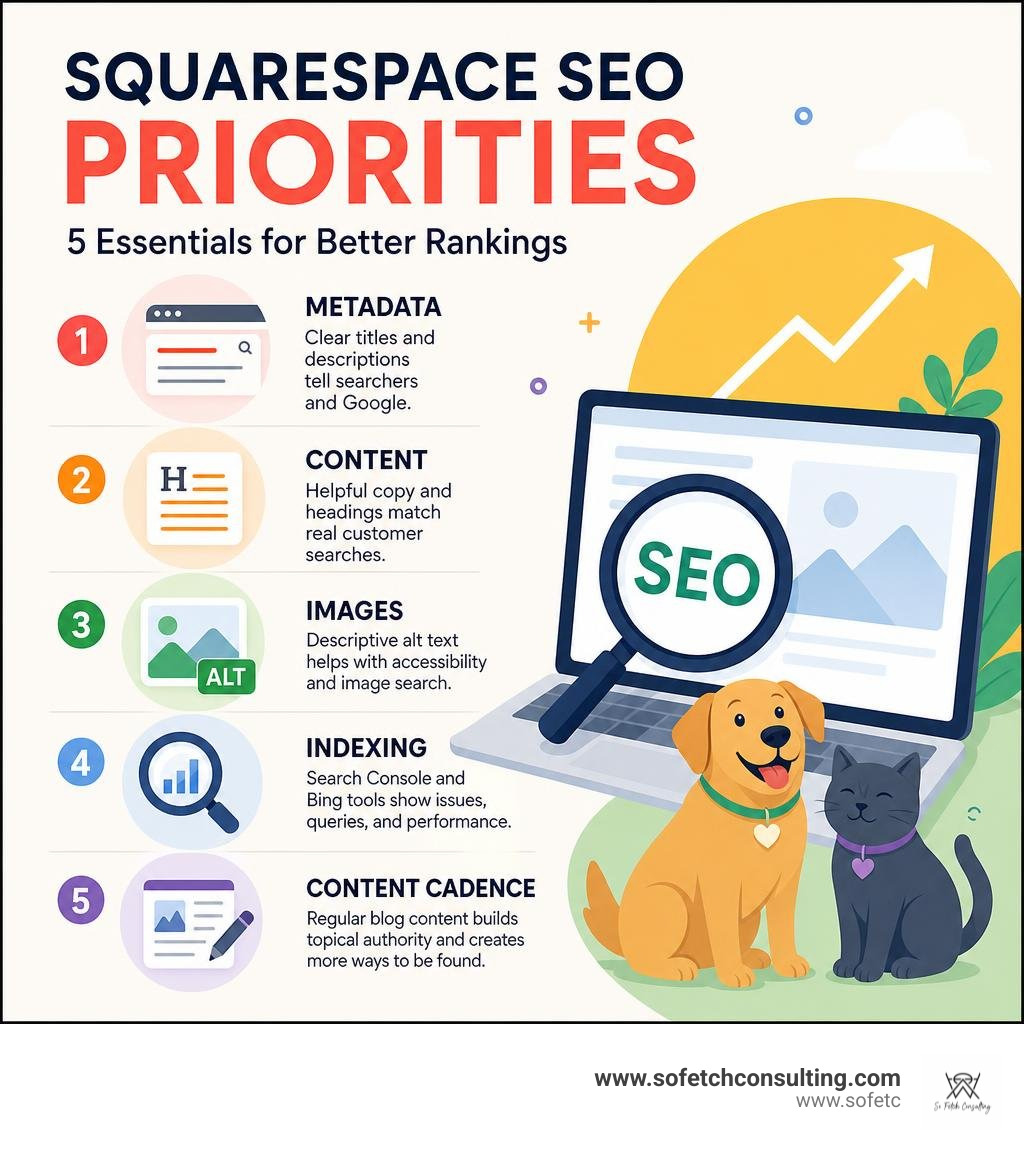
To squarespace improve seo, start with the basics: publish useful pages, use clear page titles and descriptions, organize content with headings, add descriptive image alt text, and connect your site to Google Search Console.
Squarespace already handles much of the technical foundation, including SSL, mobile-friendly design, clean URLs, an XML sitemap, and some structured data. That is helpful, but it does not make a site rank by itself. Search engines still need clear signals about what your business offers, where you serve customers, and why your pages are the best result.
For dog trainers, groomers, breeders, nonprofits, and other small organizations, the goal is not to "hack" Google. It is to make every important page easy for people and search engines to understand.
| Priority | What it helps with |
|---|---|
| Page titles and descriptions | Tells searchers and Google what each page is about |
| Keyword-focused copy and headings | Matches pages to real customer searches |
| Image alt text | Supports accessibility and image search understanding |
| Search Console and Bing tools | Shows indexing issues, queries, and page performance |
| Regular blog content | Builds topical authority and creates more ways to be found |
I am Karin Wright, founder of So Fetch Consulting, a digital marketer with 20-plus years of experience building and marketing real businesses, including pet-industry companies. I use practical squarespace improve seo strategies rooted in content, search data, and customer intent, not vague promises or plugin clutter.
When we work with client sites at So Fetch Consulting, we focus on repeatable, effective habits that move search rankings without technical headaches. Below is our complete roadmap to help you unlock the full search potential of your Squarespace website.
Proven Tactics for Squarespace Improve SEO Performance
Optimizing a website for search engine visibility can feel like managing a hundred moving pieces at once. Fortunately, Squarespace bundles the essential elements into a single clean environment. To consistently rank higher on search engine result pages (SERPs) and attract ideal clients, you need to combine Squarespace's native tools with structured content practices.
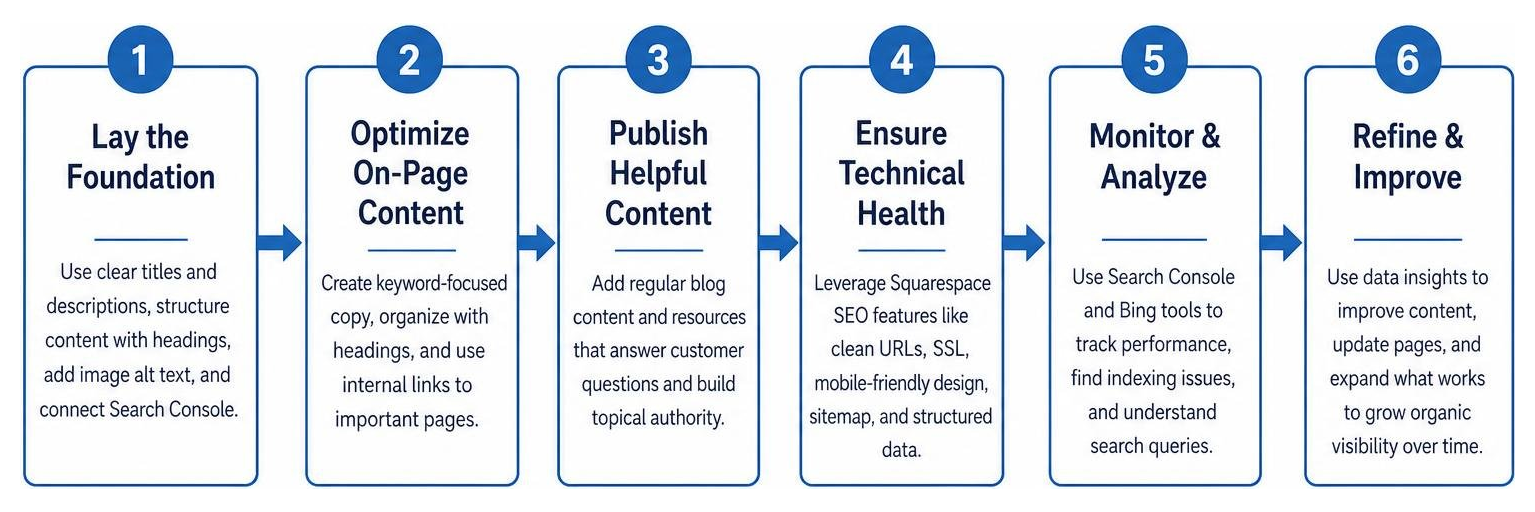
On-Page Metadata Optimization for Squarespace Improve SEO
Metadata acts as your website’s digital billboard on search result pages. When potential clients search for your services, your SEO title tag and meta description dictate whether they click through to your site or keep scrolling.
- SEO Titles: Your title tag is one of the strongest on-page ranking signals. Keep your title tags under 60 characters so Google does not truncate them. Place your primary target keyword near the beginning, followed by your brand or business location (for example: Dog Training in Austin, TX | Canine Coaching).
- Meta Descriptions: While meta descriptions do not directly impact search engine algorithms as a ranking factor, they heavily influence click-through rate (CTR). Aim for 150 to 155 characters. Clearly state what the page offers, include primary keywords naturally, and end with a compelling call to action.
- URL Slugs: Clean, readable URLs help both users and search crawlers understand page context. Avoid long strings of numbers or default parameters. Customize your URL slug to be brief and keyword-rich, such as
/puppy-training-classesinstead of/page-12345.
In recent years, Squarespace introduced integrated AI capabilities to speed up this process. Navigating to Settings > Marketing > SEO Appearance allows site owners to audit missing metadata and click Improve with AI to auto-generate baseline SEO titles and meta descriptions. While these AI tools provide a fantastic starting point, we always recommend reviewing and fine-tuning the output so it reflects your authentic brand voice. You can learn more about these native capabilities in Boost Your Site’s Visibility with Built-in SEO Features — Squarespace.
Structured Content, Headings, and Alt Text
Once visitors and search spiders land on your page, your content structure dictates how easily they can consume information. Search engines rely heavily on clean HTML markup to parse the main themes of your page.
Using Heading Hierarchy Correctly
Squarespace content blocks allow you to set text formatting from H1 down to H4. Following a logical heading hierarchy is vital:
- H1 Heading: Every page should have exactly one H1 tag near the top. This serves as the main title of the page content and must include your primary target phrase (e.g., Professional Dog Grooming Services).
- H2 Headings: Use H2 tags to divide your page into primary topic sections. This is where secondary keywords and related search phrases belong.
- H3 and H4 Headings: Reserve H3 and H4 tags for sub-points under H2 sections. Never use heading tags purely for styling or font size choices; use text styling features instead so you don't confuse search engine crawlers.
Optimizing Image Alt Text and File Names
Visual elements are crucial for engaging visitors, but search engines cannot "see" images—they rely on descriptive text. Adding clear image alt text improves accessibility for screen-reader users while boosting your visibility in Google Image search.
- File Names Before Upload: Name your image files descriptively before uploading them to Squarespace (e.g.,
golden-retriever-puppy-grooming.jpgrather thanIMG_9082.jpg). - Alt Text Fields: In Squarespace, edit image block settings and populate the Alt Text field. Write a concise, natural description of what appears in the photo (e.g., "Golden retriever receiving a bath at a local dog grooming salon"). Avoid keyword stuffing, as this hurts accessibility and provides a poor user experience.
Technical Setup and Sitemaps: Squarespace Improve SEO Checklist
A huge benefit of Squarespace is that critical technical SEO foundations are active right out of the box. You do not need to install third-party plugins or write custom server scripts to achieve a secure, crawlable site.
- SSL Security: Squarespace automatically issues and renews SSL certificates for all custom domains connected to your account. This ensures your URL begins with
https://, which Google considers a baseline security and ranking signal. - Mobile Responsiveness: Google operates on mobile-first indexing, evaluating your mobile site layout to determine search rankings. Squarespace templates are fluid and automatically adjust layout structures for smartphone screens.
- XML Sitemaps and Robots.txt: Squarespace auto-generates a dynamic XML sitemap located at
yourdomain.com/sitemap.xml. Whenever you create, edit, or delete a page, your sitemap updates automatically within minutes. The platform also maintains a standardrobots.txtfile directing search bots appropriately.
To ensure Google and Bing recognize your site quickly, connect your site directly to search console management platforms. In fact, Squarespace was the first major website builder to provide native integration with Google Search Console. Connecting your domain through Settings > Marketing > Analytics > Search Keywords verifies site ownership instantly and allows automatic sitemap submission.
For additional indexation strategies and technical troubleshooting, read the comprehensive guide on How to Get Your Squarespace Site Indexed on Google (2026 Guide) | IndexBolt.
Essential Pre-Launch and Post-Launch Squarespace SEO Audit
Launching a site without performing an SEO audit is like opening a retail storefront without hanging a sign out front. Taking time to run through both pre-publishing and post-publishing checklists ensures search engines index your pages smoothly without error messages or duplicate content issues.
Over 11,000 users in official documentation forums emphasize the value of following a structured SEO launch checklist to prevent missing critical settings.
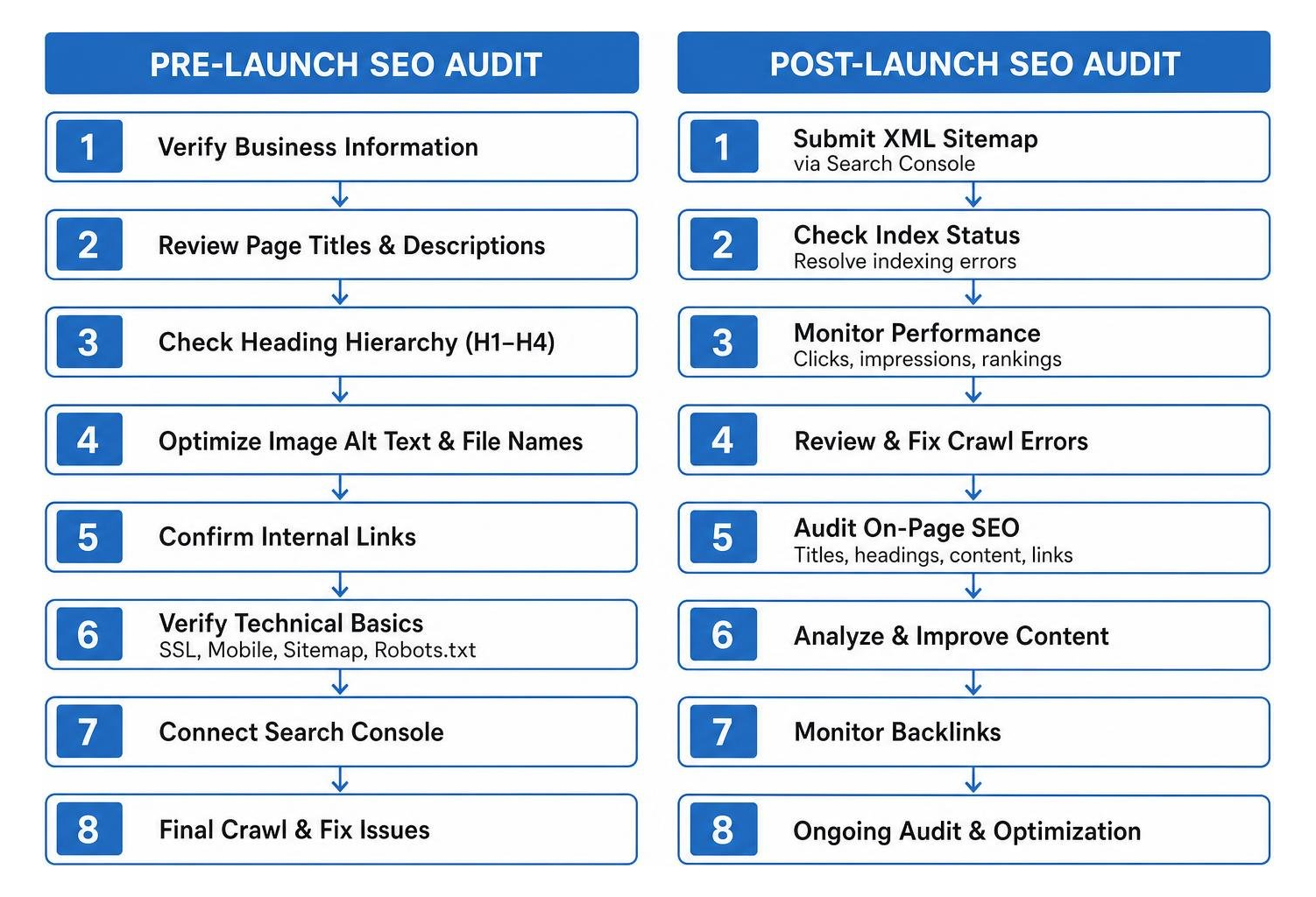
Pre-Publishing Checklist
Before changing your domain settings from private to public, verify the following itemized checklist inside your Squarespace dashboard:
- Verify Business Location Settings: If you manage a physical store, service-area business, or local nonprofit, navigate to Settings > Business Information. Fill out your physical business address, business phone number, operation hours, and service regions. This ensures schema markup accurately signals your geographic location to local map results.
- Set Primary Custom Domain: Ensure your custom domain is connected properly and set as the Primary Domain. Select whether you prefer the
wwwor non-www version under domain preferences to prevent split domain authority. - Configure Page Hiding and Password Protection: If you have staging pages, client draft galleries, or internal templates, hide them from search engines. Toggle Hide Page from Search Results in the page's individual SEO settings or inject
<meta name="robots" content="noindex">tags into page headers (available on Business and Commerce plans). - Set Up 301 Redirects: If you are redesigning or migrating an existing website to Squarespace, changing page paths will cause broken links and lost rankings. Create 301 redirects under Settings > Developer Tools > URL Mappings.
- Use the exact syntax:
/old-page-path -> /new-page-path 301 - For bulk folder changes, use wildcards:
/blog-archive/* -> /blog/{1} 301
- Use the exact syntax:
Post-Publishing Strategy and Tracking
Publishing your site is just the beginning of your search visibility strategy. Tracking performance allows you to adjust content over time based on actual search behavior.
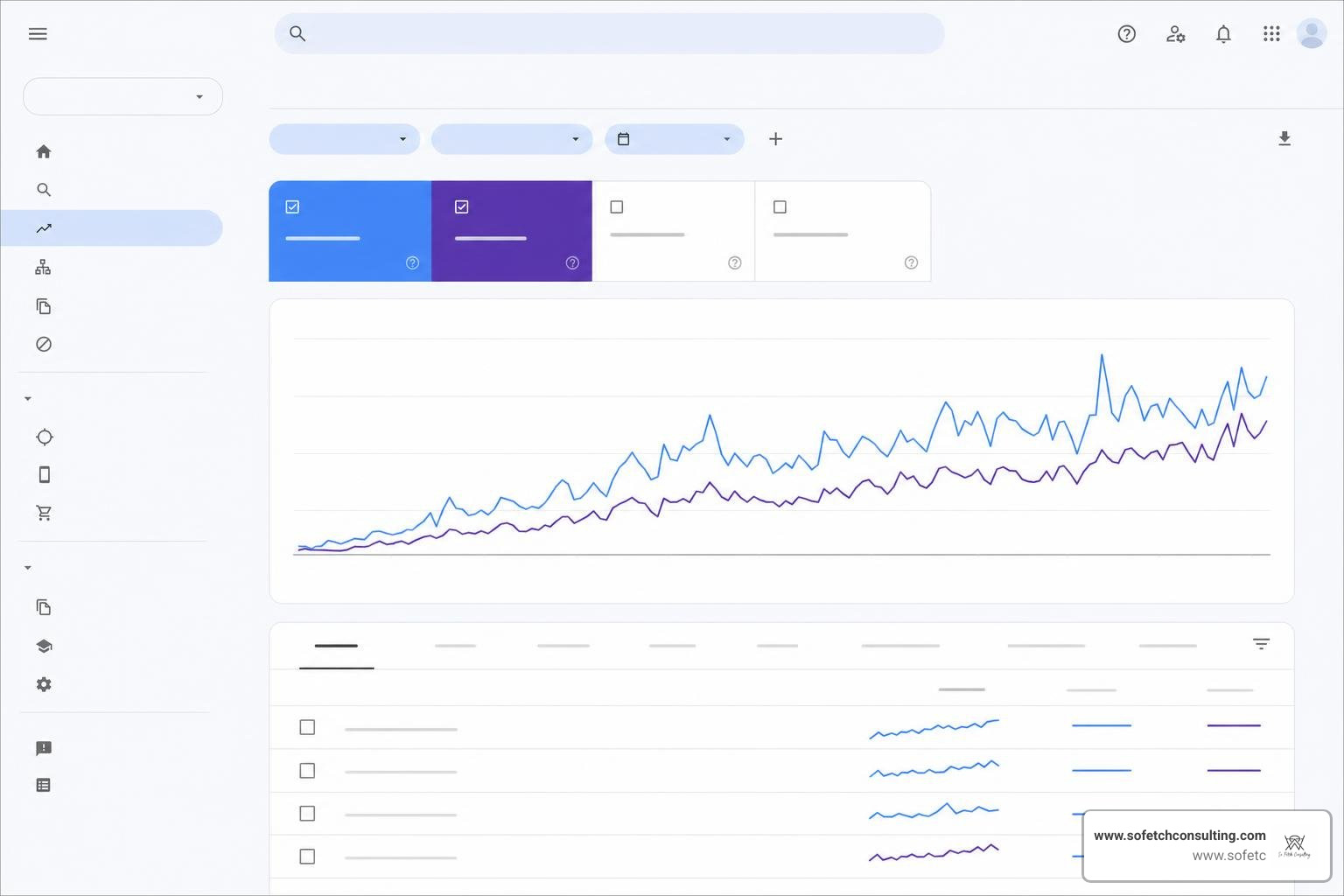
- Monitor Squarespace Analytics: The native Analytics menu provides immediate insights into visitor trends, traffic sources, and top-performing landing pages without requiring complex tracking codes.
- Review Google Search Console: Check GSC regularly (typically every 2 to 4 weeks) to review total organic impressions, clicks, average position, and target search queries. Watch for crawl errors, 404 pages, or indexing warnings under the Pages tab.
- Integrate Google Analytics 4 (GA4): Paste your GA4 Measurement ID directly into Settings > Developer Tools > External API Keys. GA4 complements Search Console by providing deeper data on user journey paths, conversion events, and engagement rates.
Content Strategy and Blogging on Squarespace
While technical site settings create a stable launchpad, long-term search growth requires consistent, valuable content creation. Search engines prioritize sites that regularly update their content and answer specific search intent.
Maximizing Organic Reach Through Active Blogging
Blogging remains one of the most effective strategies for capturing long-tail search traffic. A local pet trainer, for example, might find it difficult to rank solely for broad keywords like "dog trainer." However, publishing detailed guides addressing specific questions--such as "how to stop a rescue dog from barking at dinner time"--allows you to capture highly motivated leads.

When launching a blogging strategy on Squarespace, keep these content organization best practices in mind:
- Avoid Thin Content: Search engines tend to demote pages containing sparse text. Ensure every blog post contains at least 300 to 500 words of thorough, original, useful content.
- Utilize Categories and Tags: Group your posts logically using Squarespace's built-in Category and Tag tools. Categories represent broad topics (e.g., Puppy Care, Obedience Training), while tags identify specific details (e.g., Crate Training, Teething).
- Strategic Internal Linking: Hyperlink within your blog posts to relevant service pages or companion articles. Internal links help search crawlers map out your site hierarchy while keeping human visitors engaged longer.
- Keep Blog Permalinks Clean: In Settings > Blog, check your Blog Item URL Pattern. Keep permalinks concise by removing year, month, and day tags from the URL string unless publication date is strictly relevant to your industry.
Comparing Squarespace With Open-Source Website Platforms for Search Engine Optimization
A frequent question among small business owners is whether Squarespace offers enough ranking potential compared to more developer-managed website platforms.
While platform choice matters, organic visibility depends far more on content quality, backlink acquisition, and user intent alignment than on your underlying Content Management System (CMS).
| Search Engine Optimization Feature | Squarespace | Developer-Managed Platforms |
|---|---|---|
| Technical Maintenance | Automatic (managed platform) | Manual (requires updates and plugin maintenance) |
| SSL & Sitemaps | Built-in by default | Requires setup through extensions or hosting tools |
| Metadata Management | Native SEO dashboard panel | Managed through add-ons or custom configuration |
| Page Speed & Hosting | Fully managed hosting environment | Depends on hosting provider and optimization |
| Granular Crawl Control | Standard control options | Full code/database access |
| Ease of Use for Owners | High (all-in-one system) | Moderate to Complex |
For small-to-medium business owners, non-profits, and service providers who want to manage their own digital presence without hiring a dedicated webmaster, Squarespace provides all the tools required to compete on the first page of search results.
Frequently Asked Questions About Squarespace SEO
Is Squarespace good for SEO compared to other website platforms?
Yes, Squarespace is well-suited for search engine optimization. It includes clean code structures, mobile-responsive template layouts, automatically managed SSL certificates, generated XML sitemaps, and custom metadata fields. While more developer-managed platforms can offer deeper access to raw server code and custom development, Squarespace delivers all essential on-page and technical requirements natively without the burden of security updates or plugin conflicts.
How long does it take for Google to index a Squarespace website?
Indexing timelines vary. A newly published site or page typically takes anywhere from a few days to two weeks to appear in Google search results. You can accelerate this timeline by connecting Google Search Console immediately after launch, verifying your sitemap submission at /sitemap.xml, and requesting URL indexing directly inside Search Console.
Does Squarespace handle technical SEO automatically?
Squarespace manages the majority of technical SEO requirements behind the scenes. It automatically configures responsive mobile styling, generates clean semantic HTML5 markup, updates XML sitemaps, applies default structured data (Article, Product, and Local Business schema), and enforces SSL encryption across your primary domain.
Ready to Put Your Squarespace SEO to Work?
Improving search rankings on Squarespace does not require code mastery or endless technical tweaks. By establishing clear on-page metadata, structuring copy with clean headings, filling out image alt text, and maintaining an active blog content strategy, you can build long-term organic search authority.
At So Fetch Consulting, we help small businesses, local service providers, pet industry specialists, and non-profits transform their digital visibility through proven strategies like The S3 System™ content framework.
Ready to elevate your site visibility and turn search traffic into active clients? Transform Your Search Visibility with So Fetch Consulting and let us build an organic growth engine for your business today!
